
The curing method dictates the final trade-off: the rugged durability of filament versus the high-resolution precision of resin.
While filament is the industrial standard for large-scale functional prototypes using materials like ABS or nylon, it is limited by nozzle diameter and visible layer lines. Resin printers prioritize dimensional accuracy and airtight seals, reaching micron-level resolutions that eliminate the staircase effect. Design requirements must balance the thermal resistance of filament against the intricate surface fidelity of resin.
What is filament 3D printing
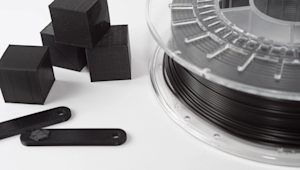
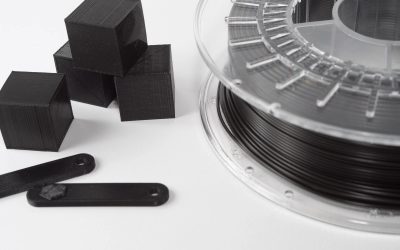
Filament 3D printing works by melting a plastic string (filament) and pushing it through a hot nozzle. The printer moves the nozzle to draw one layer at a time on a flat plate, similar to a computer-controlled glue gun.
Each layer cools and sticks to the one below it until the object is finished. To prepare a design for the printer, engineers use ‘slicer-software’ like UltiMaker Cura or PrusaSlicer. This software translates the 3D model into simple coordinates that tell the printer exactly where to move and how much plastic to melt.
Pros and cons of filament printing
Filament printing is the most cost-effective 3D printing method. It offers a wide range of durable, engineering-grade plastics like ABS, Nylon, and PETG. Its primary benefits include high impact resistance, the ability to produce large-scale components quickly, and minimal post-processing requirements compared to other technologies.
However, the process has notable drawbacks, such as visible layer lines and lower dimensional accuracy. Fixed nozzle sizes prevent filament printers from matching the fine detail, smooth finish, or airtight seals of resin-based components.
What is resin 3D printing?
Resin printing and VAT photopolymerization uses UV light to harden liquid plastic layer by layer. The printer has a tank filled with liquid resin and a build plate that moves up and down.
A light source, like a laser or a digital screen, shines through the bottom of the tank to solidify specific areas of the liquid. This chemical process creates very smooth components with fine details that are nearly impossible to see with the naked eye.
To prepare these components, engineers use ‘slicer-software’, specifically designed for resin, such as CHITUBOX or Formlabs PreForm. This software handles the placement of thin supports and calculates the exact light exposure needed for each layer. This translates the 3D design into a series of images that the printer projects to cure the liquid into a solid object.
Pros and cons of resin printing
Resin printing offers superior surface quality and dimensional accuracy. This makes it ideal for intricate prototypes or dental and jewelry applications. Because the liquid resin cures as a single solid piece, components are naturally airtight and exhibit a professional and injection-molded appearance.
However, the process is generally slower and more expensive than filament printing due to higher material costs. Post-processing is also more intensive, as components must be washed in solvent and cured under extra UV light to reach full strength.
The big differences between resin and filament
The choice between resin and filament depends on the balance of structural strength versus surface detail. Filament printing is the industrial standard for durable and large-scale components that must withstand mechanical stress or heat. Filament printing utilizes affordable and solid plastics that are easy to handle and require little cleanup.
Resin printing is the superior choice for high-precision components that need a smooth, injection-molded look. While resin components offer better accuracy and airtight seals, they are generally more brittle and require a multi-step cleaning and curing process. Engineers usually select filament for strong components and tools but use resin printing for detailed models and jewelry.
Price difference
Filament printing is generally the most budget-friendly option for both the machine and the materials. A standard spool of plastic filament is inexpensive and produces many components with very little waste. Resin printing tends to cost more because the liquid resin itself is pricier and requires extra supplies like specialized cleaning alcohol. While filament printing is the go-to method for keeping costs low on large projects, resin is an investment in high-end detail and a professional finish.
The strength of the prints
Filament prints are generally much stronger and more durable than resin components. Because filament uses real engineering plastics, it can handle impact, heat, and mechanical stress without breaking. Resin components are known for their detail but tend to be brittle and can snap if dropped or pulled too hard. While new "tough" resins exist, filament remains the better choice for functional components that need to last under pressure.
Faster way to print
Filament printing is typically faster for producing large, simple components, because the nozzle deposits material exactly where it is needed. However, print times increase significantly as the design becomes more complex or voluminous. Resin printers can cure a whole layer at once, making them faster when printing many small items together. This makes resin the more efficient choice for printing multiple small, detailed models simultaneously.
To find the most efficient lead time for your specific design, upload your CAD file for an immediate comparison of speed and cost. Do you have other questions? Don’t hesitate to contact us.
Frequently asked questions about resin and filament printing
Choosing the right 3D printing technology depends on your specific design goals and material requirements. These common questions help to clarify which process is best for your next project.
Frequently asked questions
Is resin or filament printing better for a beginner?
Filament printing is usually the better choice for beginners, because it is much cleaner and easier to set up. You simply load a spool of plastic and start printing. Resin requires handling liquid chemicals and a multi-step cleaning process. Filament machines are also more forgiving if you make a mistake with your settings
Does resin last longer than filament?
Filament typically lasts longer in real-world conditions because it uses stable plastics such as PETG or ABS that handle sunlight and heat well. Resin components can become very brittle over time, especially if they stay in the sun, which causes them to crack or break. For components that need to last for years, filament is the more reliable option.
Is resin more expensive than filament?
Yes, resin printing is generally more expensive due to the cost of the liquid and the extra supplies needed. A standard bottle of resin costs more than a similar amount of filament. You also have to buy filters, gloves, and cleaning alcohol. Filament is the most budget-friendly way to create both small models and large objects.
Is 3D printing toxic?
Filament printing is generally safe, though some materials like ABS can release unpleasant fumes that require a ventilated room. Resin is more demanding because the liquid is a skin irritant and the fumes are much stronger, so you must always wear gloves and work in a well-ventilated space. Once both types of printing options are fully cured and finished, they are safe to handle.