Hey everyone,
I have a wanhao dupliator i3 v2.1 (I believe). It’s been fine for months, however it has stopped extruding after the brim/raft sections when I use a certain filament and I am wondering why this may be?
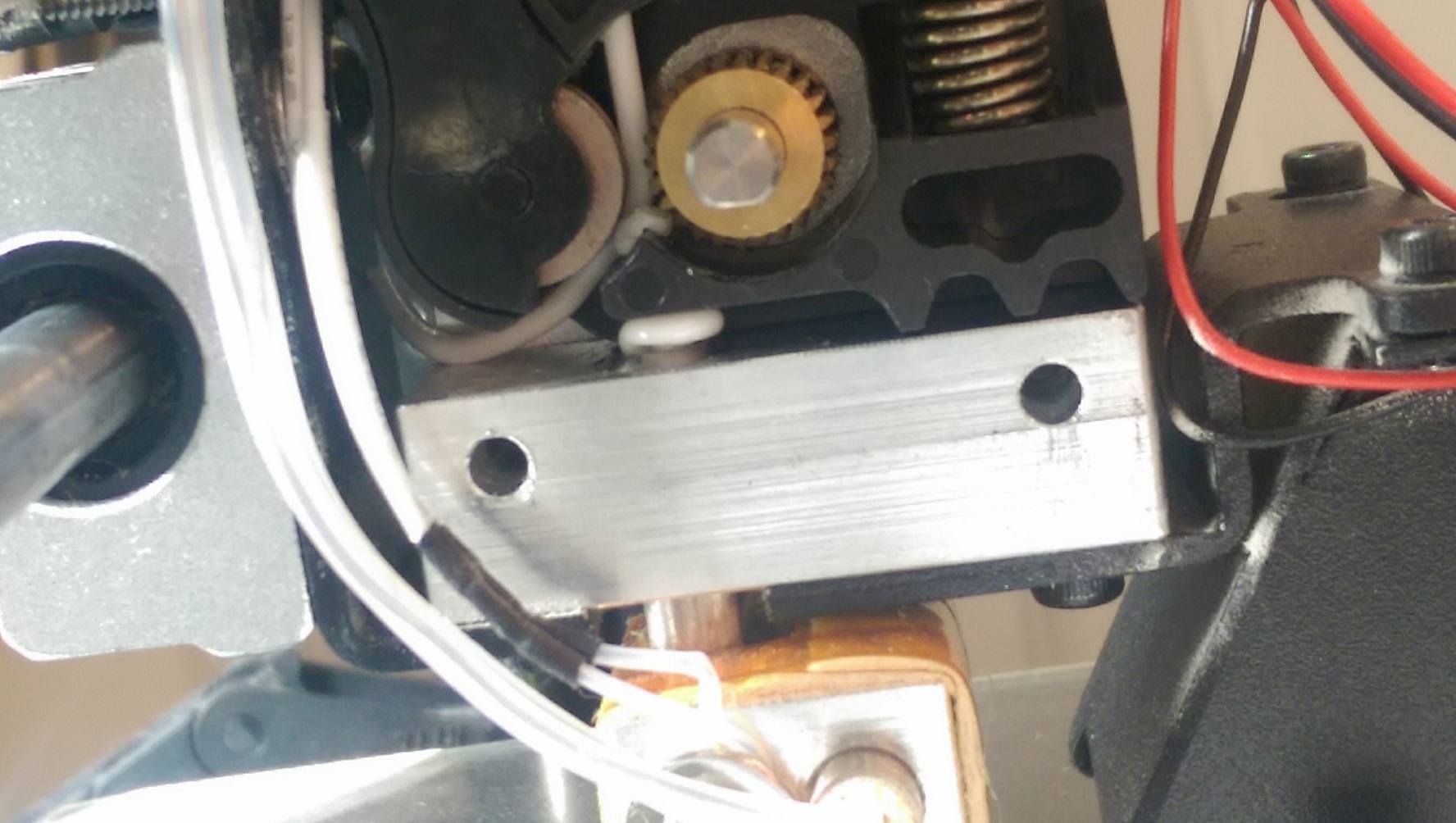
After looking inside it just now the filament has wound up, snapped and then slipped out of line. Would it be right to assume that this is because the temperature was too high? I usually printed at 210 for PLA but i used 230 because it wasnt sticking (now I know to print the first layer slower instead).
Other times that this has happened the filament hasn’t done this and looks normal. Could this be anything to do with filament being too humid?
Cheers people
Perry_1
2
This is PLA heat creep, most likely. Printing too hot, so that the heat from the extruder is slowly creeping up the PLA, until the PLA gets soft above the extruder inhole. Once this happens, the PLA can no longer push into the hole, and begins to wrap around the drive gear.
This is from printing too hot, usually.
Not all PLA is the same, and some of yours needs printed cooler, apparently.
cobnut
4
Hi @Lewis_George you might also want to look at your extrusion multiplier; as @Perry_1 said, what you’re seeing here is the filament “backing up” and not getting through into the hot end, this could be heat creep, but it could also be that you’re trying to push it in too fast (extrusion multiplier too high) and, of course, it could be a combination of both.
I had this exact problem with my FF Creator Pro with just one particular filament and solved it by reducing the temperature slightly and reducing the extrusion multiplier, it hasn’t happened since.
Hi Cobnut. Okay so my extruder uses 1.75mm filament and I have my flow % at 100 with a nozzle diameter of .4mm. Not sure how much of this would be useful. What sort of changes are notable in this case? Would this be the flow that is to be changed?
cobnut
6
Hi @Lewis_George get yourself a simple test print - I usually use a 25mm cuboid, 2mm high, and try printing at various “flow” rates. For the filament I had problems with, I had to turn mine down to 85%, others I print at 95%, some 100%. Since it’s a pain to clear the blockage, I’d start the test with a very low figure, say 70% and look for under-extrusion, then increase in 5% steps until the print looks OK, then maybe add another 5%. This should avoid jams while testing.