Hi all -
I’m fairly new to this, and have just moved from a MP Mini to a Qidi Dual Extruder.
I’m finding the Makerbot software (vs the Repetier I’d been using) not too bad, but I’m having some raft issues.
First, I’ve tried without a raft. I’ve leveled the hell out of the bed, and I’ve still very quickly got myself ending up with the extruder head eventually dragging around a wad of plastic after a while. I imagine I’ll get there without practice. So, if someone has some great advice for managing successful prints without rafts, I’m all for it. But I think right now I’m stuck with rafts.
Second, when I DO print with a raft, the printing does off pretty much without a hitch. Which is great, obviously. However, the rafts using the default settings I end up with a very thick honeycombed raft that is super difficult to remove. On the MP Mini I could almost always just snap the thing off. On this, that is totally not an option (mostly due to its honeycomb/nutter butter nature) and I need to tear the thing apart piece by piece, and, honestly, the bottom will probably need to be sanded at that point.
Can anyone suggest a better way to do the rafts? Even a raft that’s nothing but a simple single piece would probably be preferable. Or a way to use Repetier without taking a chance of bricking the printer.
1 Like
Perry_1
2
OK, the eventual plan is to get to where you do not need a raft. That is, a raft is a solution to a problem that should be fixed, and when it is fixed, there is no need for a raft.
First, when leveling your build plate, use a sheet of paper to measure between the first layer and the bed. It should be really tough to slide, but not tear.
If every part of your first layer is sticking, then every part of your print without the raft should stick.
Next, consider using Aquanet Super Hold hair spray. Spray it liberally on the build platform. (this works best with a glass build plate). Let the printer preheat the bed until you it is invisible, and not sticky. If you do not have a heated bed, the you just have to wait for it to dry.
This creates a pv substrate that your filament will stick to.
Let your first layer squish against the bed. Really squish it. This creates a smooth bottom on the print, and holds that print to the bed.
None of the problems you are having are really raft issues, they are bed leveling and bed adhesion issues. Once you eliminate those, you also eliminate the need for a raft.
1 Like
From advice I’d seen before I’d been trying to use a thickness of about a business card to test it, and I guess “just barely slide” is open to interpretation, as I’d been trying to do them such that the card would slide freely without actually being impeded by the nozzle.
I’ll try your advice when this current (rafted) print finishes and see what happens from there.
1 Like
Perry_1
4
So its hard to explain the feeling of it.
First, a business card is too thick. Think more standard sheet of printing or copy paper.
Then, you want to feel what in my brain feels like “static” when you pull the paper while leveling. Heavy static, but not tear.
Once you get it, you’ll know the feeling, and you will be able to level without even thinking about it.
PS, level while the bed is at the same temperature as you will be printing at.
1 Like
Well, I did one a leveling that seemed fairly good and ran the test from here: Build plate leveler by Woodsmoke - Thingiverse
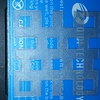
I’ve attached a picture of the output. To me it looks imperfect (thought those got generally smoothed out by the later layers) but fairly good. I imagine if I’d had some actual adhesion issues I would have found myself with stuff being dragged around again. I tend to have more problems with flat prints than anything else.
There is one spot, directly along the first I in QIDI TECHNOLOGY where there is a raised line I’m not too thrilled about.
1 Like