Hi guys,

You most likely have seen me lurking around these forums last couple of days, I’ve been struggling a lot with my new Duplicator 4s. Basically I jumped right in without any prior knowledge of 3d printing. Thing I have already run into:

  • First layer adhesion issues
  • Curling & Warping

After numberous attempt of tweaking all kinds of settings (first layer height, thickness, shells, speed, heating, temperatures, etc) I decided to try ABS again last night. For some reason my ABS prints generally work better than PLA. I noticed severe warping and of course my print was ruined (like all of them at the moment).

One of the things I have read was using a custom fan, which supposedly would cool down the ABS fast enough for it to harden while not cooling the part too much. I’ve tried it with Marvin and the results were stunning, all my warping issues seemed to have disappeared and Marvin was looking awesome. All the layers stayed perfectly flat. Unfortunately half way through the print Marvin became unstuck and decorated my printer interior with festive ABS decorations EVERYWHERE :slight_smile:

Now, it seems to me that I will need some fanning option to finally be able to print with good quality. I’ve seen some of the ducts on Thingiverse and I have also found this info:

http://wanhaousa.com/products/cooling-fan-kit

With regard to the cooling kit I have these questions:

- Why isn’t cooling of the Nozzle a standard thing for these printers?

- WanhaoUSA says “The use of a cooling fan will drastically improve your models and allow you to print at a faster speed”. It seems to me that the product I bought doesn’t do as advertised, do you agree?

- If the cooling is optional, which other factors should I optimize to get better quality without a fan?

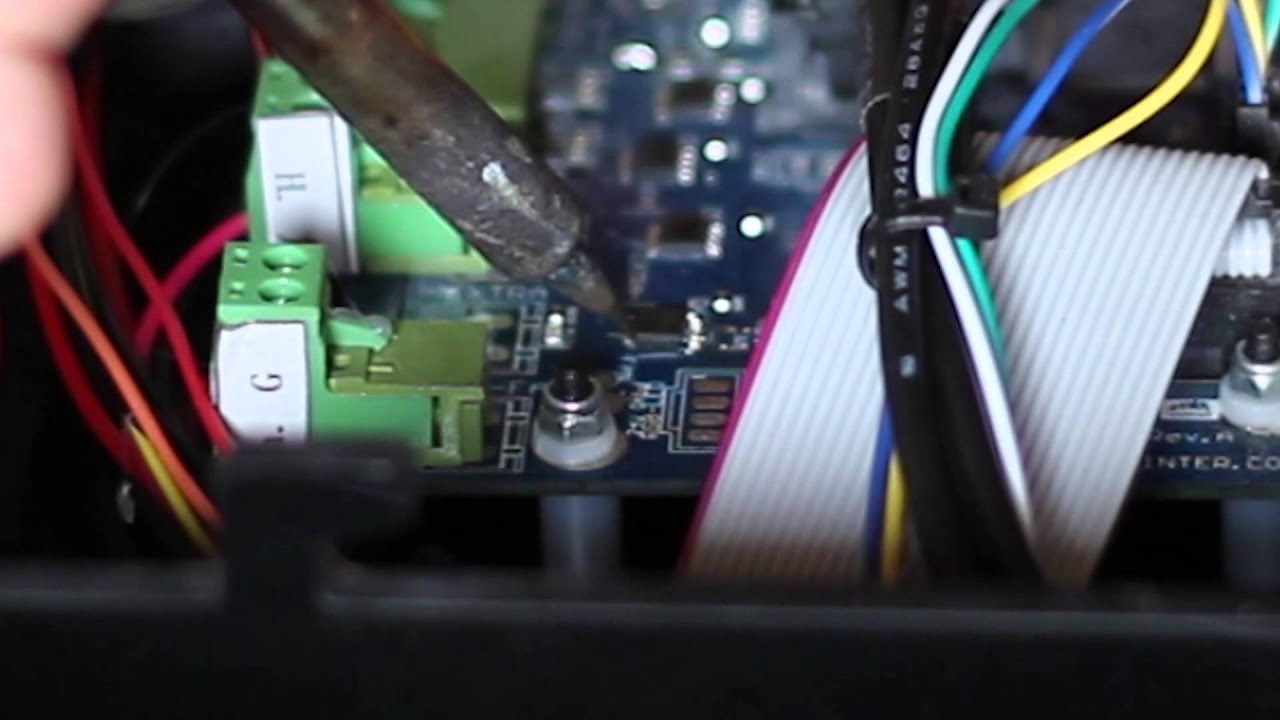
- If the cooling is optional, why didn’t they at least solder the MOSFET and Connector?

- How does one control the fan via the Mightyboard?

Then some additional questions:

- Do you have a Wanhao Duplicator and did you install a fan?

- Does the fan blow hot or cold air? What exactly is this doing? Moving hot air from the hot end?

- Does the fan also work for PLA (haven’t tested)

- do you have more recommendations?

Personally I was very surprised and disappointed when I noticed how good cooled Marvin looked. It seems to me I have to customize this printer to get it to work correctly while I expected it to work good out of the box.

Love to hear from you guys, still learning every day! Thanks

2 Likes

PLA MUST be cooled the moment it is extruded. (look at the makerbot printers with huge fans right at the tip of the print head. with ABS and some other materials the extruder fan must be turned off to avoid warping.

inorder to have good results with PLA you need blue tape on the platform and lots and lots of cooling at the nozzle.

I do not have any Wanaho experience however i do know that ABS likes ABS slurry (ABS and Acetone mixed together into a sauce) on the print bed to create good adhesion, a heated print bed t avoid warping and limited cooling at the extruder to aid in layer adhesion.

Hi Joe,

Thanks for the info. You say that for ABS the extruder fan should be off, but this is not my experience. I’ve printed out two Marvin’s using Makerware with medium settings (.2mm) and this was the result. The Marvin on the right has been cooled using an external fan (PC case fan). Also, I have tried the fan with PLA and that seems to induce warping (however I did not print a Marvin, but a single shelled hollow cube).

Do you understand my confusion, there are a lot of tips and tricks out there… It’s so difficult to decide which to follow.

Do you have a Wanhao Duplicator and did you install a fan? Does the fan also work for PLA (haven’t tested)?

I installed a fan in mine (D4), it drastically improves the PLA print quality. It is not generally considered something valuable while printing ABS.

Adding the MOSFET isn’t too difficult but I agree that the printer should come with the cooling fan as standard.

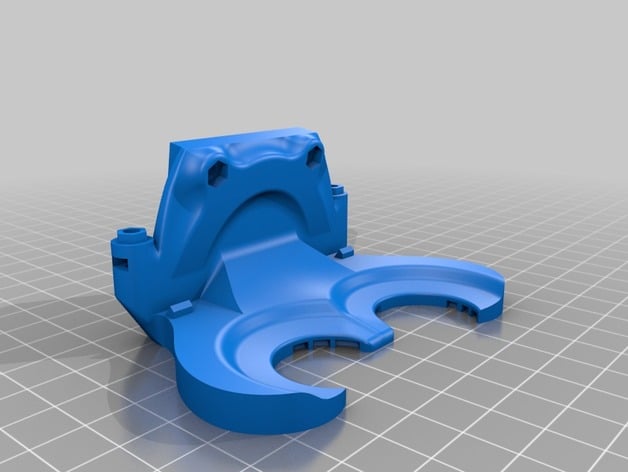
Look for your favourite fan mount online. People have made some excellent ones for most printers.

I haven’t tried this but it looks good ((updated)) Hi-flo directional cooling duct for duplicator 4s ((might work with other open face printers)) by delukart - Thingiverse

- Does the fan blow hot or cold air? What exactly is this doing? Moving hot air from the hot end?

It’s trying too cool the PLA plastic to allow for faster printing speeds, better bridging, less distortion etc.

- do you have more recommendations?

  • First … If you still have the ABS plastic sold with the Duplicator … Throw it in the bin immediately and buy a new roll from a reputable retailer. My ABS from Wanhao was not ABS, I have no idea what it was. Buying good ABS made my 3D printing life a lot more bearable :stuck_out_tongue: (A test you could do, is to put some of your ABS in acetone. If it completely melts into the solution it’s ABS. If it sits at the bottom like sludge it’s not)
  • For PLA print on masking tape and use the fan cooling.
  • For ABS print on Acetone Slurry or Kapton Tape try and minimise the heat loss inside your print area. Do not use the cooling fan. Use door / lid / sides if your printer has them to maintain more stable temperature.
  • Mostly for ABS but also for PLA. Consider your infill solidity. The more plastic in there the more the piece will warp.
  • First Layer adhesion, first layer print speed and bed levelling are massively important here. To level your bed consider getting some feeler gauges. Also if printing material that requires a heated bed like ABS bed temp is also important. http://www.easterngage.com/images/metric-feeler-gauge-set-large.gif

You [Joe_Harper] say that for ABS the extruder fan should be off, but this is not my experience.

Your fan should be off for similar reasons that your heated bed should be on. You don’t want the ABS cooling down too much across the piece as it is prone to warping during the cooling process.

Regarding working good out of the box. This is all very new. There are variations in 3D model geometry, slicing preferences & software, materials, hardware and environmental conditions that you will have to consider when producing 3D prints.

1 Like

I hear ya man. i guess the advice is to try a bunch of different things and see what works for you/your printer. Not sage wisdom, just observation.

could it be that your print head temp is not right for the material you are using? that is one seriously droopy looking marvin on the left…

On the adhesion side. For PLA I use blue painters tape on a non-heated bed. For ABS I use a glue stick (the blue pritt stick ones seem to work well). If these don’t work then move the nozzle closer to the plate by turning the knobs under the build plate.

The first thing I did was install a fan. I really agree that it should be standard…if not the fan then at least the ability to connect on. I think Wanhao has corrected this but they were shipping motherboards to which a fan can not be connected without surface soldering. Stupid. If you just bought a printer and it does not have a connector for the fan, and a mosfet on the board, you should demand a new motherboard.

Once you can connect a fan, check this one out: Active Cooling Fan Duct v2 for Replicator 1 / Duplicator 4 / FlashForge / CTC by thruit00 - Thingiverse. I liked it enough that I had it printed in resin for durability.

The other single big thing you need to do is find the lowest temp at which you can extrude reliably. That and a fan and you should be well otw.

will

Thank you very much for your answer, it is very appreciated.

After reading all the responses I tried again. First time without fan, which showed significant warping. I’ve attached a picture where you can see the outer parts of Marvin’s body curl up.

The second time I used to fan again and while the was was on I could see the lines solidifying and stay straight. As soon as I turned it off Marvin started warping instantly. Grr …

The video about the MOSFET doens’t look to difficult, I do small soldering on Arduino projects and have a good iron. Still not keen on doing that though so I have mailed 3dprima to ask them if they know which motherboard revision I have and if it would require soldering. If that is the case I would simply use an external power supply.

This ABS did come with the machine. I have bought PLA from Prima3d which works better than the supplied PLA but I will order some new ABS as advised. Do you have recommendation for a good shop or do you have experiences with 3dprima’s filament?

Those feeler gauges seem very handy, thanks for sharing.

I guess I’m back to PLA for now.

Looks like too high a temp to me. Find the absolute lowest that you can extrude with reliably. Slow down, maybe print two marvins at one time. BTW, in my experience a directed fan can help with ABS details. It does for me.

Your printer, your filament, and sometimes the phase of the moon! I agree on the two Marvins above, btw, that print temperature on the left Marvin is too high. I had the same issue but even when I got the temperature down the fan still helped with some of the final detail. My fan off Marvin was 'def not so smushy!

1 Like

Hi, I’ve been lowering temps and I am on 200c now. I’m afraid to go lower if that risks jamming/clogging the extruder and nozzle. Should I? Anyway I still get a lot of drooping. A new roll of ABS is on the way, so I’ll see how that works. Something else to mention, my Airco is broken and it is 25c in this room, could the ambient temperature affect the print?

I’m still having more succes with a fan than without. I’ve switched to a very small fan that only breezes the print and I have Marvin in that looks really promising. I’ll post back today.

Make sure your bed is also leveled

1 Like

I feel your pain. I could never get marvin right unless I added cooling for abs in my wanhao.

For bridges, overhangs and anything with detail cooling for ABS is needed in my opinion. I’ve added the fan below and upgraded my firmware to sailfish so I can manually turn the fan on and off if needs be.

will probably add it to my gcode when I work that out. The trick with ABS is if the part cools too much it will come off the bed. This is where abs slurry helps, although for smaller objects like marvin I just use kapton/hairspray. Might try glue at some point.

if you have trouble printing the above fan mod (you could always get someone on here to print, or ebay, I’m sure I saw someone selling the complete kit at one point.